
Free Telegram Video Downloader: Save Telegram Videos and Photos at No Cost
 Mack Wong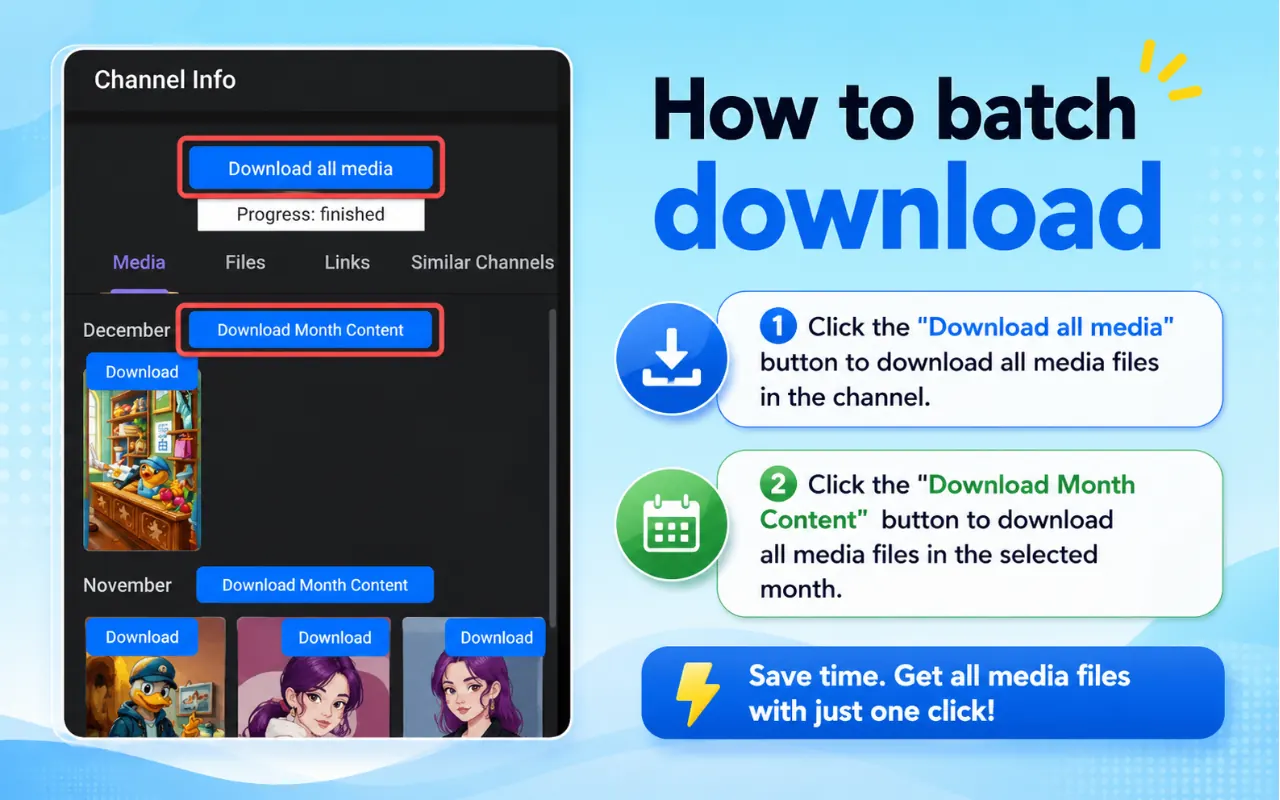
Free Telegram Video Downloader: Save Telegram Videos and Photos at No Cost
Direct answer: A free telegram video downloader should let you save videos and photos you can already view without paying, creating an account, or uploading the file to a stranger's server. Use Telegram's built-in save buttons on desktop and mobile for free, or the free TG Video Downloader Chrome extension when Telegram Web does not show a clear download control. Free does not mean unrestricted: content protection and view-once media still apply.
This page focuses on what "free" actually covers, and on one workflow that handles photos and videos the same way. It is not a deep dive into every "button missing" edge case.
What "Free" Should Mean (And What It Often Doesn't)
Search results for free telegram video downloader are noisy. Many pages say free in the headline, then require something else in practice.
| Promise | Fair free tool | Fake-free pattern |
|---|---|---|
| Price | $0 to save media | "Free" then paywall after N downloads |
| Account | Not required | Forced email / trial signup |
| File path | Telegram → your device | Telegram → their server → maybe your device |
| Installer | Chrome Web Store or official Telegram | Bundleware, random zip, "helper" APK |
| Scope | Save visible media | "Unlock anything" marketing |
A trustworthy free path is boring on purpose: Telegram already includes save controls, and a Store-listed extension can fill the Web UI gap without inventing a subscription.
Free vs unlimited vs unrestricted
Keep these words separate:
- Free — no payment required for the save action.
- Unlimited — the tool does not meter your clicks (storage and bandwidth still do).
- Unrestricted — not a real promise. Telegram admins can still disable saving; view-once media is still temporary.
If a site advertises "100% free unlimited unlock private protected videos," treat that as a warning label.
Two Free Paths That Cover Almost Everyone
Path A — Free native save (no extension)
Telegram's apps already act as a telegram photo and video downloader for unrestricted media.
Telegram Desktop
- Open the chat.
- Right-click the video or photo → Save as..., or use the download arrow on the media.
- Choose a folder.
Android
- Open the media.
- Tap the download icon.
- Find it in Gallery / Files (depending on your save settings).
iPhone
- Open the video or photo.
- Use share / hold → Save Video or Save to Photos.
Native save is the default free option whenever the button exists. You do not need a browser tool for those moments.
Path B — Free Chrome extension for Telegram Web
When you work in Telegram Web, the player may stream media without a friendly save control. That is the job of a free telegram videos downloader extension.
TG Video Downloader is free to install from the Chrome Web Store:
- Add the extension in Chrome.
- Sign into Telegram Web as usual.
- Open the chat and load the photo or video.
- Click the download control the extension adds.
- Confirm the file in your Downloads folder.
Screenshot-style steps: How to use.
No paid tier is required for that core loop. You also do not create a site account just to click download.
Photo + Video: Same Workflow on Purpose
A real telegram photo and video downloader should not force two products or two mental models.
| Media | Native apps | Telegram Web + extension |
|---|---|---|
| Single video | Save / Download | Same download control |
| Single photo | Save to gallery / Save as | Same download control |
| Mixed album | Save each item | Scroll items → download each |
| Image-heavy chat | Same gestures | Same clicks while scrolling |
Album habit (works free either way)
- Open the album.
- Step through items until each one fully renders.
- Save or click download per item.
- Rename in your folder if order matters (
event-01.jpg,event-02.mp4).
You do not need a special "album pack" mode for everyday archiving. Per-item save is predictable and free.
Free Workflow Comparison
| Need | Best free approach | Why |
|---|---|---|
| One photo on phone | Native save | Zero install |
| One video on Desktop | Native Save as | Fastest |
| Many files while staying in Chrome | Free extension on Web | Repeatable clicks |
| Mixed photo + video channel | Either; pick your client | Same habit once chosen |
| Public meme once | Native | No extra tool |
| Private group archive you belong to | Native or extension | Avoid bots for privacy |
Bots and "paste URL online" sites can also be free in sticker price, but free price ≠ free of privacy cost. Prefer Path A or B for personal and work media.
What You Still Cannot Expect From a Free Tool
Stay honest so this page does not overlap with "bypass" fantasies:
- Free tools cannot join private channels for you.
- Free tools cannot legitimately bypass restrict-saving / content protection.
- Free tools cannot turn view-once media into a normal file workflow.
- Free tools cannot restore deleted messages.
Those limits exist whether the tool costs $0 or $50. Paying does not create a safe unlock.
Cost Reality Check (No Fake Stats)
Instead of invented user counts, use a simple cost model you can verify yourself:
| Option | Money cost | Time cost | Privacy cost |
|---|---|---|---|
| Native Telegram save | $0 | Lowest when UI exists | Lowest |
| TG Video Downloader extension | $0 | One install, then low | Low if Store-listed |
| Random free online site | $0 sticker | Capchas, broken links | Often high |
| "Free" bot | $0 sticker | Forward steps | Bot receives media |
If two options both cost $0, choose the lower privacy and time cost — usually native, then extension.
Keeping a Free Setup Safe
Free attractors are where malware ads cluster. Basic rules:
- Install the extension only from the official Chrome Web Store listing.
- Prefer Telegram's own apps over unknown APK "downloaders."
- Never pay a site that demands your Telegram SMS code "to unlock free downloads."
- Scan files from unknown contacts.
- On shared computers, remember Downloads is a shared folder — free tools do not encrypt it for you.
See the homepage.
Practical Free Scenarios
Scenario: receipts and screenshots in a work chat
Photos matter as much as videos. Use native save on phone during the day, or the Web extension at your desk. Same outcome: local copies for your records, $0.
Scenario: tutorial clips in a public channel
Native Desktop save is enough for occasional clips. Switch to the free extension only if you archive from Telegram Web.
Scenario: family photo dump in a private group
Avoid forwarding the whole album to a bot "because it is free." Native or extension keeps the media inside your devices and Telegram session.
Scenario: someone promises a free unlocker for protected videos
Decline. That is outside free tooling and outside responsible product scope.
Batch Saving Without Paying
You can archive many items for free without a paid "pro batch" feature:
- Open the chat in your chosen client (Desktop native or Web + extension).
- Scroll and fully load each photo/video you care about.
- Save/download as you go; Chrome can run multiple downloads.
- Sort the folder afterward.
There is no built-in meter on the extension's core download action. Your limits are disk space, connection quality, and Telegram's own restrictions on specific messages.
Free Tool Checklist Before You Install Anything
- Does Telegram native save already solve this file?
- If I need Web help, is the extension on the Chrome Web Store?
- Does it ask for Telegram passwords or codes? (Should be no.)
- Does it claim to unlock protected / view-once media? (Walk away.)
- Does photo and video use the same simple action?
- Can I try one harmless public image first before touching private files?
If native already works, installing nothing is still a valid free choice.
FAQ
Is there a truly free telegram video downloader?
Yes: Telegram's own save buttons, and free Store-listed extensions such as TG Video Downloader for Telegram Web.
Is TG Video Downloader free forever or a trial?
The core Web download flow described here is free to install and use from the Chrome Web Store without a mandatory paid account for that action.
Can one free tool do photos and videos?
Yes. Treat it as a telegram photo and video downloader: same save/download habit for both, including album items.
Does free mean I can download from any channel?
No. You still need access, and restricted or view-once media remains off-limits for legitimate tools.
Why not use a free online downloader site?
Sticker price may be $0, but private links often fail and unknown sites are a common phishing surface. Native and extension paths are cleaner.
Does the free extension work on iPhone?
No. On iPhone, use Telegram's built-in save. The extension is for Chrome + Telegram Web on desktop.
Where are the click-by-click Web steps?
How to use TG Video Downloader and the homepage.
Bottom Line
"Free" is useful when it means no payment, no fake trial, no upload detour. Start with Telegram's native photo and video save. If Telegram Web is where you work, add the free Chrome extension from the official Store and keep one workflow for images and clips. Ignore free unlocker marketing — it is not what a responsible telegram videos downloader is for.