
Chrome extension
Dedicated Chrome extension for Telegram Web. Capture videos, photos, and audio with one click or batch tools.
Free public-link downloader · No login
Paste an accessible Telegram link to preview and download. For private chats, batch jobs, or when online download fails, use the Chrome extension or Android app. Desktop app coming soon — one purchase unlocks all paid platforms.
Dedicated Chrome extension for Telegram Web. Capture videos, photos, and audio with one click or batch tools.
Save videos, photos, audio, and files from chats, channels, and groups you can already open on your phone.
For Windows and Mac. Browse chats you have joined, save in batches, and keep large downloads running in the background.
Save Telegram private-channel videos with a clear downloader guide. Download accessible media online, switch to the extension or Android app when a link fails, and use the upcoming desktop app for large batch jobs.
One purchase · Chrome extension, Android app & desktop
All four options save media you can already access. Use this table to pick the right method for your device and job size.
| What you need | Web tool Any browser | Chrome extension Telegram Web | Android app Google Play | Desktop app Windows & Mac · soon |
|---|---|---|---|---|
| Nothing to install — just paste a link | Yes | No | No | No |
| Works on phones and tablets | Yes | No | Yes | No |
| Private channels and groups you have joined | No private links cannot be opened here | Yes in Telegram Web | Yes chats you can open | Yes |
| Save a whole chat or a big batch at once | No one message link at a time | Yes | Yes | Yes by date, type, and size |
| Large files (1 GB+) | Limited by browser and online quotas | Yes | Yes | Yes |
| Keeps downloading after you close the window | No | No | Yes app download queue | Yes resumes after restart |
| How you sign in to Telegram | No sign in needed | Uses your Telegram Web session | In the app, on this device | In the app by QR or phone number |
| Paid access across platforms | Free public-link tool | One purchase shared | One purchase shared | Same purchase when it launches |
Most people looking for a Telegram private video downloader are trying to solve one of these problems.
Your situation 1
Try this first
Paste the link into the online Telegram video downloader above
Your situation 2
Try this first
Install the Android app from Google Play and open chats you can already access
Your situation 3
Try this first
Use the Chrome extension inside Telegram Web
Your situation 4
Try this first
Use the Chrome extension now, or the desktop app when it launches
Your situation 5
Try this first
Check access, link type, channel restrictions, and whether the video opens outside Telegram
The online Telegram video downloader handles one public video at a time. You do not need to create an account, install a bot, or enter Telegram credentials.
Only download media you are allowed to keep. A public link does not remove copyright, privacy, or redistribution restrictions.
Open the video post in Telegram and choose Copy Link. A supported URL includes a public channel name and message number.
Paste the link into the downloader above. The tool checks Telegram's public post page without asking you to sign in.
When the post is available, review its channel, thumbnail, and duration before downloading the file.
Save the MP4 in its original available quality. For private, restricted, or batch media, use the Chrome extension in Telegram Web.
Use this page for quick public-link saves. Install TG Downloader when you regularly download from private groups, restricted channels, or several posts at once.
Features
Start with the free online downloader for a public post, then move to TG Downloader in Telegram Web when the job needs private access, multiple files, or large transfers.
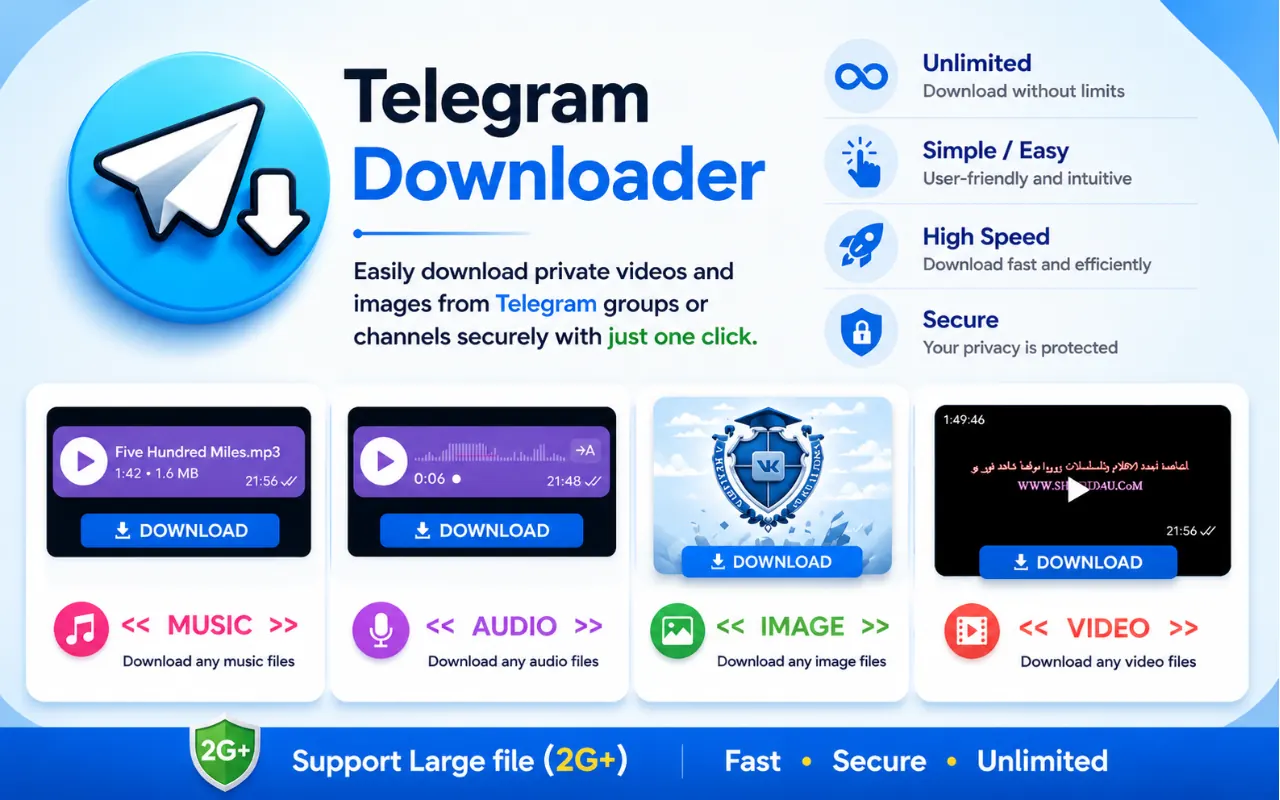
Paste one public t.me post link, preview the video, and download it without a Telegram login or a website account.
Install the Chrome extension for repeated downloads, several media items, and channels that are already open in Telegram Web.
Use a private Telegram video downloader workflow for groups and channels your account can access. Protected or view-once media cannot be forced.
Long HD videos and files over 1GB go through Chrome’s download manager so transfers stay reliable when your connection allows.
If a private group or channel opens in Telegram Web under your account, you can usually save the video or photo locally with the extension.
Privacy-first by design: files save to your browser download folder. We never ask for your Telegram password on this companion site, and we do not inject ads into chats.

Save music, podcasts, voice notes, and audiobooks from chats in original quality.

Works alongside video downloads in the same Telegram Web session.

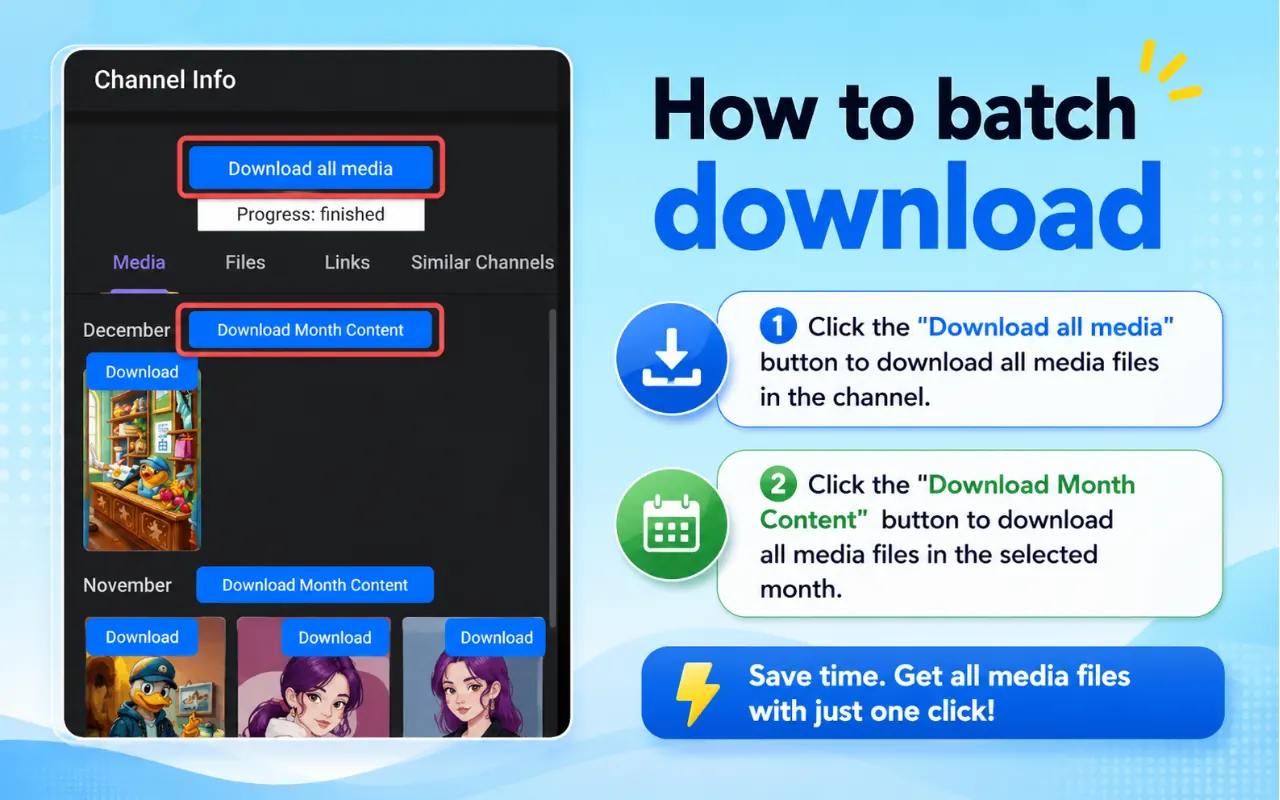
Archive channel libraries with bulk actions such as download all media or download by month—built for large Telegram video collections.
Export photos, stickers, GIFs, and videos in full resolution without switching tools.
One Chrome extension covers images and video across public and private chats you can open.

Use the online tool for one public video, then add the extension for private Telegram Web sessions, batch downloads, and more media formats.
Download one Telegram video instantly or select multiple files for faster channel exports.
Videos, images, GIFs, music, audiobooks, and common documents shown in Telegram Web.
When media plays in Telegram Web for your account, save files from restricted channels you already joined.
Private chats and channels available in your session can be archived for personal backup.
Sign in only through official Telegram Web. This site does not require a TG Downloader account.
Get support for install issues, missing Download buttons, and batch export questions.
Handle long HD videos and large channel files when Telegram exposes the stream.
Works with popular Telegram Web versions so you can keep your preferred layout.
Choose the right way to download Telegram videos for PC—privacy and reliability first.
| Method | Best for | Privacy | Note |
|---|---|---|---|
| Chrome extension | Daily desktop use, batch archives, private chats you can open | Files save locally via the browser | Best default for Telegram Web |
| Online paste-link sites | Occasional public clips only | URLs often hit a third-party server | Last resort; not for private media |
| Telegram bots | When you prefer chatting a bot | Depends on the bot operator | Extra steps; quality varies |
Chrome Web Store reviews
Recent reviews from Chrome Web Store for Telegram Video Downloader - TG Downloader & Media Saver. Ratings are public and updated by Google.
Trusted by 40,000+ Chrome users
Good Morning
Jul 16, 2026
“One of the best productivity extensions I've installed. It's lightweight, easy to understand, and makes downloading videos from Telegram Web much more convenient. I would definitely recommend it to others.”
Chrome Web Store review
Fanvue Promotion
Jul 16, 2026
“I've been using this extension for a while now, and it's been reliable throughout. The download process is quick, and the videos are saved without any issues. Excellent work!”
Chrome Web Store review
Demilade Mariam
Jul 16, 2026
“I was pleasantly surprised by how well this works. The extension is fast, responsive, and doesn't get in the way while browsing. It does exactly what it's supposed to do.”
Chrome Web Store review
Balogun Faith
Jul 16, 2026
“This extension is incredibly easy to use. It works smoothly with Telegram Web, and downloading videos only takes a single click. A great tool for anyone who uses Telegram regularly.”
Chrome Web Store review
Eyinjuoluwa Fathia
Jul 16, 2026
“Simple, fast, and effective. I appreciate the clean design and hassle-free experience. It works consistently and has become one of my favorite Chrome extensions for Telegram.”
Chrome Web Store review
Aderotimi James
Jul 16, 2026
“This extension has saved me a lot of time. It integrates nicely with Telegram Web, and the download process is smooth and straightforward. Looking forward to future updates and new features.”
Chrome Web Store review
Adejoke Baby
Jul 16, 2026
“A lightweight and useful extension that does exactly what it promises. Installation took seconds, and downloading videos from Telegram Web is now effortless. Definitely worth using”
Chrome Web Store review
Abbey
Jul 16, 2026
“Excellent extension! It detects download links quickly and makes saving videos from Telegram Web simple. The interface is clean, and everything works without unnecessary steps. Highly recommended”
Chrome Web Store review
Ireoluwa Ola
Jul 15, 2026
“A useful Chrome extension with a clean interface and smooth performance. It's easy to install and use for everyday tasks.”
Chrome Web Store review
Yes. Paste a public t.me channel post link into the tool above to preview and download its video without logging in. Private groups, restricted channels, and batch media require the Chrome extension inside your own Telegram Web session.